Best Free PDF Merge Tools: A Comprehensive Guide
This comprehensive guide explores the best free PDF merge tools available today, helping you choose the right solution for combining multiple PDF files quickly and efficiently. From simple online mergers to feature-rich desktop software, this guide highlights tools that offer secure processing, easy drag-and-drop interfaces, high-quality output, and no hidden costs. Whether you need to merge large documents, maintain formatting, or work offline for privacy, this guide provides clear comparisons and expert recommendations to help you find the perfect PDF merging tool for your needs.
AI TOOLS
12/10/20252 min read
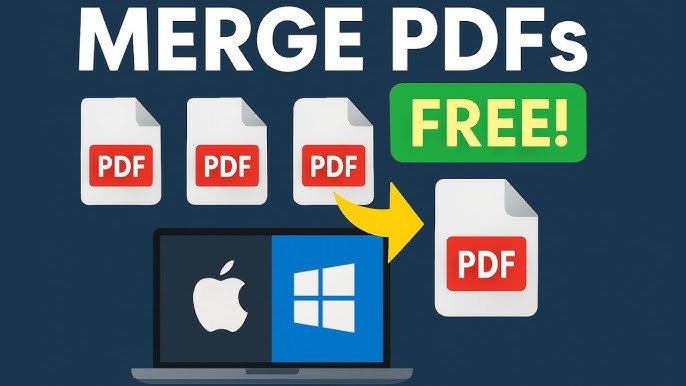
Best Free PDF Merge Tools: A Comprehensive Guide
Introduction
In today's digital world, PDF documents are essential for business, education, and personal use. Whether you're compiling reports, combining research papers, or merging scanned documents, having a reliable PDF merge tool is crucial. This article explores the top free PDF merger tools available, helping you choose the right solution for your needs without spending a dime.
Top 5 Free PDF Merge Tools
1. Smallpdf
Smallpdf offers a clean, user-friendly interface with powerful merging capabilities:
- Key Features: Drag-and-drop interface, cloud-based processing, maintains formatting quality
- Limitations: 2 tasks per hour on free version, file size limited to 5MB for free users
- Best For: Occasional users who need quick, simple merging
- Platform: Web-based with desktop apps available
2. PDF24 Tools
A comprehensive suite developed by German company Geek Software:
- Key Features: Completely free with no watermarks, offline desktop version available, supports batch processing
- Limitations: Basic interface design, occasional ads in online version
- Best For: Users who need regular PDF manipulation without restrictions
- Platform: Web-based and desktop (Windows)
3. Adobe Acrobat Online
Adobe, the creator of PDF format, offers a surprisingly capable free online tool:
- Key Features: Excellent formatting preservation, integration with Adobe ecosystem, secure processing
- Limitations: Requires account creation for some features, limited to 3 merges per day
- Best For: Users already in the Adobe ecosystem
- Platform: Web-based
4. I Love PDF
A popular web-based tool with a straightforward approach:
- Key Features: Fast processing, maintains hyperlinks and bookmarks, supports multiple languages
- Limitations: File size limited to 15MB, occasional promotional pop-ups
- Best For: Quick online merging without installation
- Platform: Web-based
5. Sejda PDF
Balances free features with professional capabilities:
- Key Features: Preserves form fields, maintains quality, no watermarks on merged files
- Limitations: 3 tasks per hour, 50MB file size limit
- Best For: Users needing occasional professional-grade merging
- Platform: Web-based and desktop (cross-platform)
Special Mention: Offline/Desktop Solutions
PDFsam (PDF Split and Merge)
- Platform: Desktop (Windows, Mac, Linux)
- Advantages: Completely free and open-source, no internet required, no file size limits
- Considerations: Requires download and installation, less polished interface
Security Considerations When Merging PDFs
When using free PDF tools, consider these security aspects:
- Privacy: Check if tools upload your documents to their servers
- Data Retention: Review privacy policies for information on how long files are stored
- Watermarks: Some free tools add watermarks to merged documents
- Local Processing: Desktop tools generally offer better privacy than online services
How to Choose the Right Tool
Consider these factors when selecting a PDF merge tool:
1. Frequency of Use: For occasional needs, web tools work well; for regular use, consider desktop applications
2. File Size Requirements: Check maximum file size limits
3. Privacy Needs: Sensitive documents may require offline processing
4. Additional Features: Some tools offer OCR, conversion, or editing capabilities
5. Platform Compatibility: Ensure the tool works on your operating system
Tips for Effective PDF Merging
1. Organize Files First: Rename files numerically (01, 02, 03) to ensure proper merging order
2. Check File Compatibility: Ensure all documents are true PDF files (not scanned images)
3. Review Merged Document: Always check the final merged file for formatting issues
4. Consider Compression: If file size is important, look for tools offering compression options
Conclusion
Free PDF merge tools have come a long way, offering capabilities that rival paid solutions. For most users, PDF24 Tools provides the best balance of features and freedom from limitations. If you prefer cloud-based convenience, Smallpdf and ILovePDF offer excellent interfaces with reasonable free tiers.
For those handling sensitive documents or merging large files regularly, PDFsam remains an excellent open-source desktop solution. Regardless of your choice, these free tools make document management more accessible than ever, eliminating what was once a tedious or expensive task.
Remember to always backup your original files before merging, and check the terms of service for any tool you use regularly, as free offerings can change over time.
Contact
Questions? Reach out anytime, we're here.
Phone
hello@ailovetools.com
+1-555-123-4567
© 2025. www.ailovetools.com All rights reserved.